Are you stuck in creating a Google account? Well, you don’t need to worry about it. I’ve all that you need to know. So, Let’s create a Google account.
- Go to Google and search “Google Sign Up” or go to https://accounts.google.com/signup
- Fill the first page with the required information by entering the following information.
- Your First Name
- Your Last Name
- Your Username (You need to pick a unique username)
- Your Password (You need to pick 8 or more characters for your password try to use UPPERCASE and NUMERICAL to make a strong password)


After you’re done with this, Click Next
Clicking next you will be redirected to the next page
- Enter your valid phone number
- Add a recovery email, If not available, skip that field
- Pick your Date of Birth
- Select your Gender

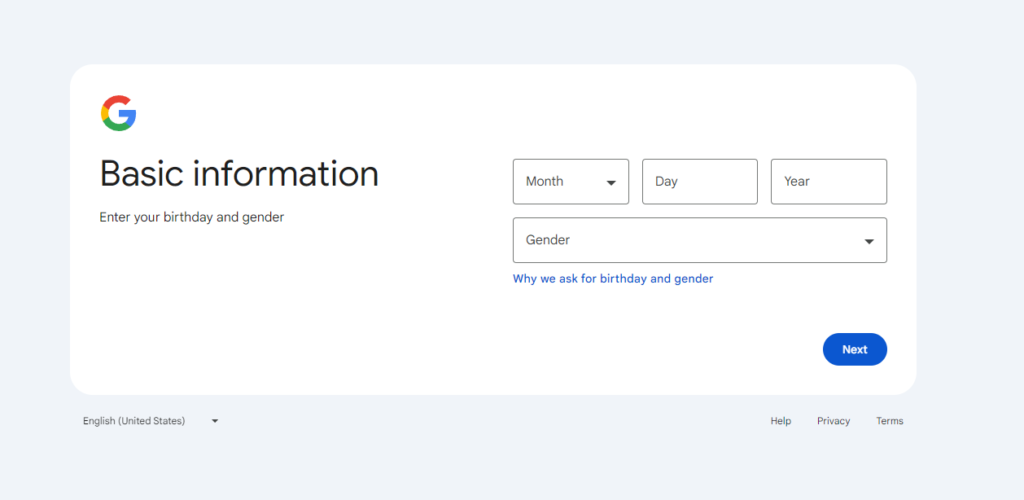
After you’re done with this, Click Next
After reaching the next page click on “I Agree”.
Congratulations Your Gmail Account has been created.
If you like this let us know in the comments, also if you have any question related to Google Sign Up let us know in the comments and we will feel honored to help you with that.
That’s all for today. I’ll be back soon with some more interesting stuff for you.