
Are you looking to create a Microsoft account.??
Guess what you’re at the right place. I’ve all that you need to know. So, Let’s get started.
Go to Google and search “Outlook Sign Up”, or click on this link https://signup.live.com

Create a new Email, Use your Phone Number or Email instead. (Chose any of the domains you want “Hotmail.com or Outlook.com”)
Click Next
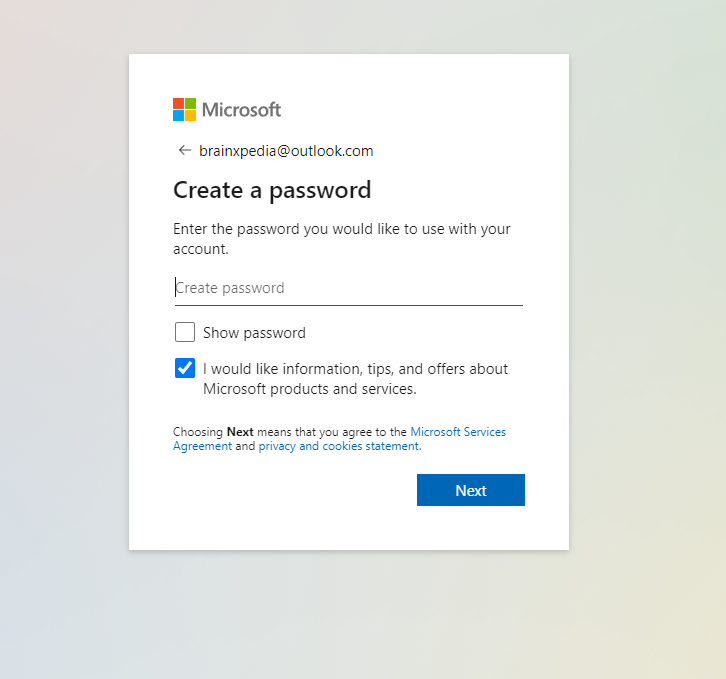
Create a Password
Click Next

Enter your “First Name” and “Last Name”
Click Next

Pick your Country/Region and Date of Birth
After this Click Next
When you’re done with all of these steps, You will reach “Human Verification”
Clear the Human Verification process and Click on “Next”
Congratulations!
Your Outlook Account is Created.
If this article helped you create your first-ever Outlook account, or if you have any questions related to Outlook Sign Up. Let us know in the comments and we will respond to you soon.