Are you stuck in creating a Yahoo account? Well, you don’t need to worry about it. I’ve all that you need to know. So, Let’s create one for yourself.
- Open your browser and search for “Yahoo Sign Up” or go to https://login.yahoo.com/account/create
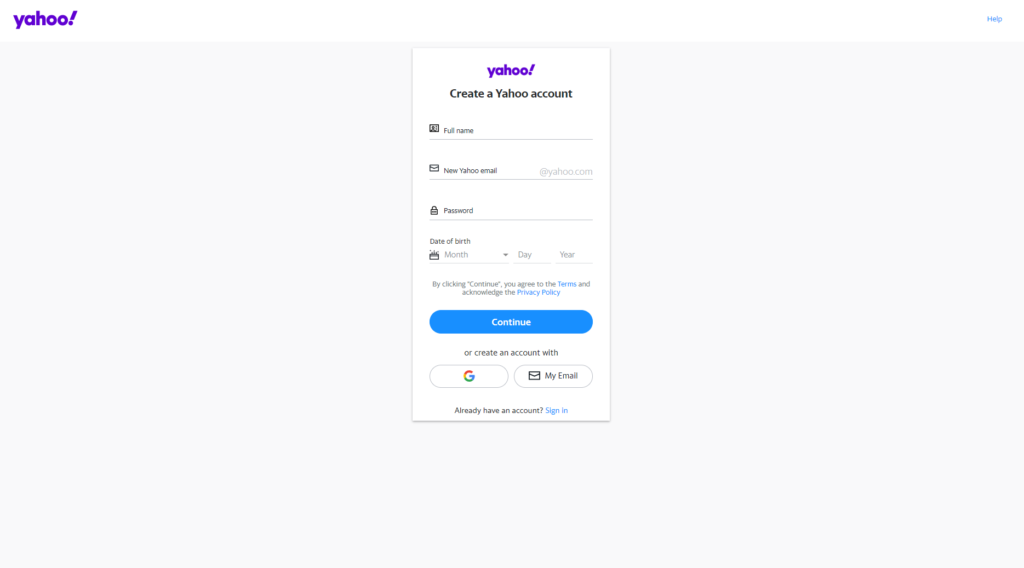
- Fill the page with the required information.
Enter the following information.
- Your First Name
- Your Last Name
- Pick and E-Mail or enter any of your existing email. (You can use your Gmail or Outlook account)
- Enter your Password, Try to create a strong password. (Use Alphabets with Capitals and Small, Also use Numbers)
- Enter your valid Phone Number.
- Enter your Date of Birth.
- Pick your Gender/Sex.
After entering all the information click “NEXT”.
Clicking “NEXT” will move you to the next page.
- Check your Number and click on “Text me a Verification Code”
- You will receive a code on your phone.
- Enter your code and click on “Verify”
Congratulations!
Your first-ever YAHOO account is created. (Enter Congratulations)
- Click on “Continue”
If this tutorial helped you create your YAHOO account, or if you have any questions let us know in the comments.